
Knowledge Base › Using your client area
How to sign in to your client area, and reset your password
Your client area at clients.jometechhosting.com is where you pay invoices and manage your hosting, email and domains. Sign in with the same email address and password as before.
- Go to clients.jometechhosting.com/login.
- Enter your email address and password, then tap Sign in.
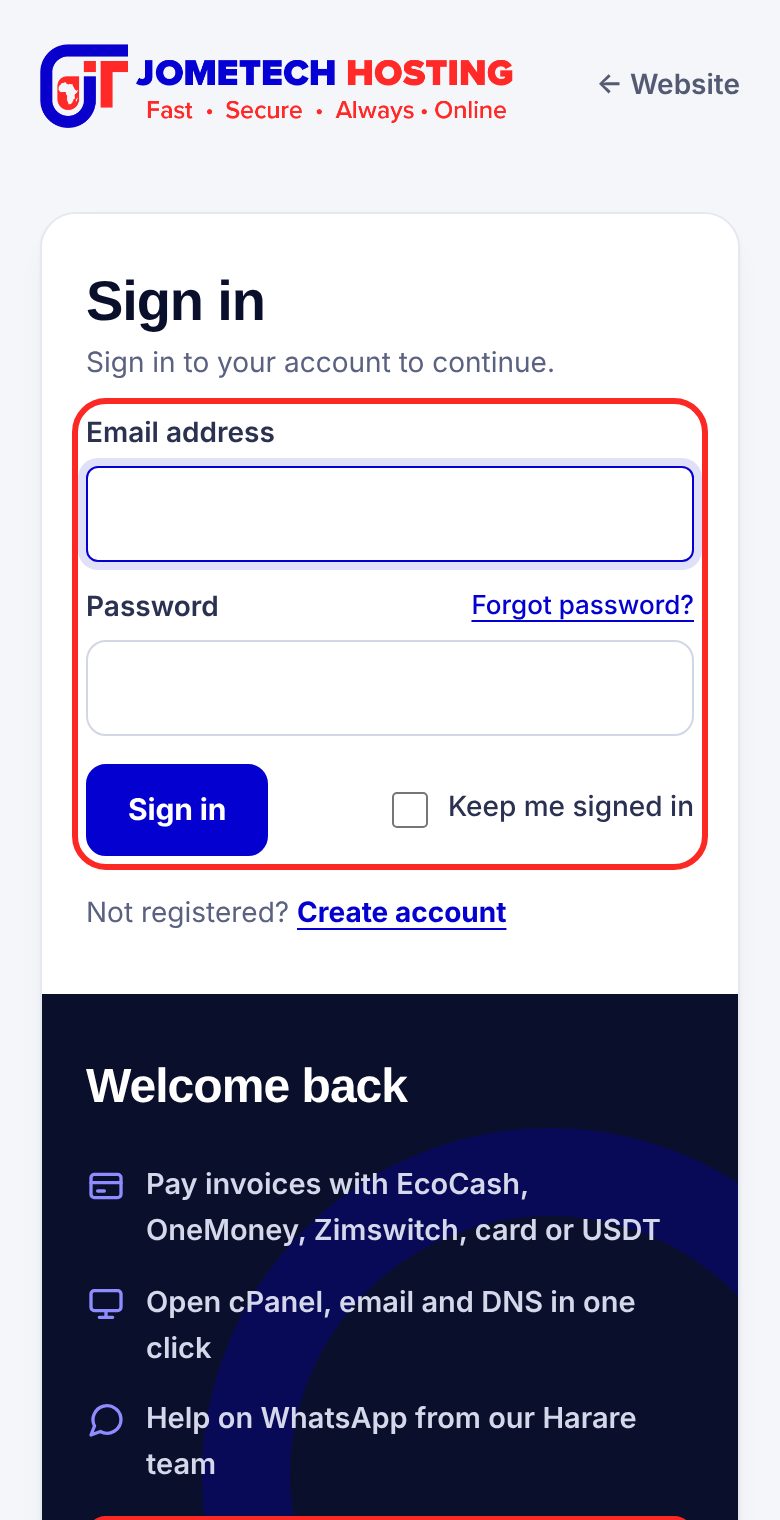
The sign-in page - Forgotten your password? Tap Forgot password?, enter your email address and tap Send reset link.
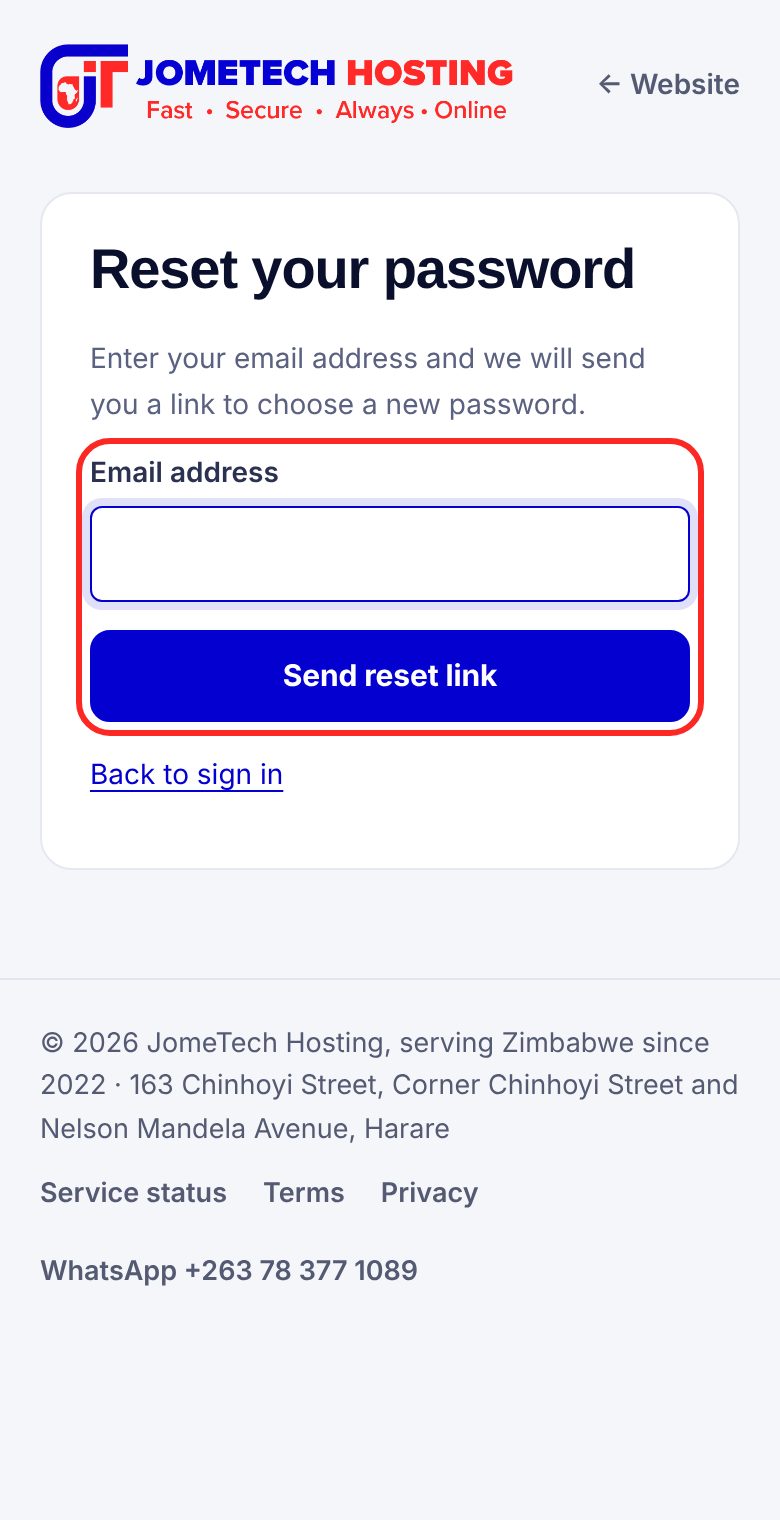
Reset your password - Open the email from JomeTech Hosting and tap the link to choose a new password. The link works for 60 minutes; check your spam folder if it has not arrived.
Stuck? WhatsApp us on +263 78 377 1089 or open a support ticket.