
Knowledge Base › Using your client area
How to manage DNS records and point your domain to another server
If your domain uses our nameservers, you can change its DNS records yourself: point it to another server, or add records for Google Workspace, Microsoft 365, Shopify and similar services.
- Tap Domains, open your domain, then tap Manage DNS records.
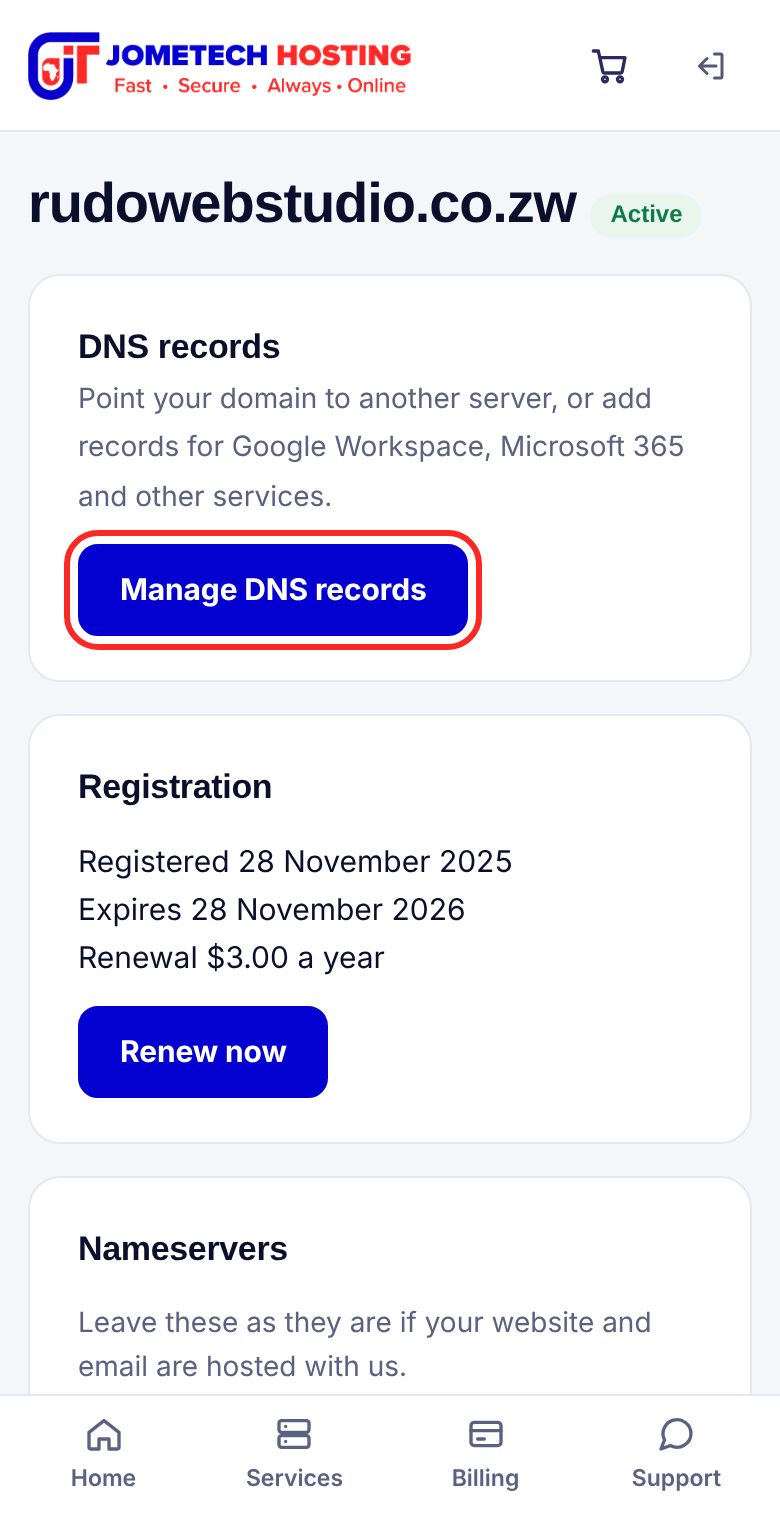
Manage DNS records on the domain page - To move your website to another server in one step, enter the server's IP address under Point to another server and tap Point domain. Your email records are not changed.
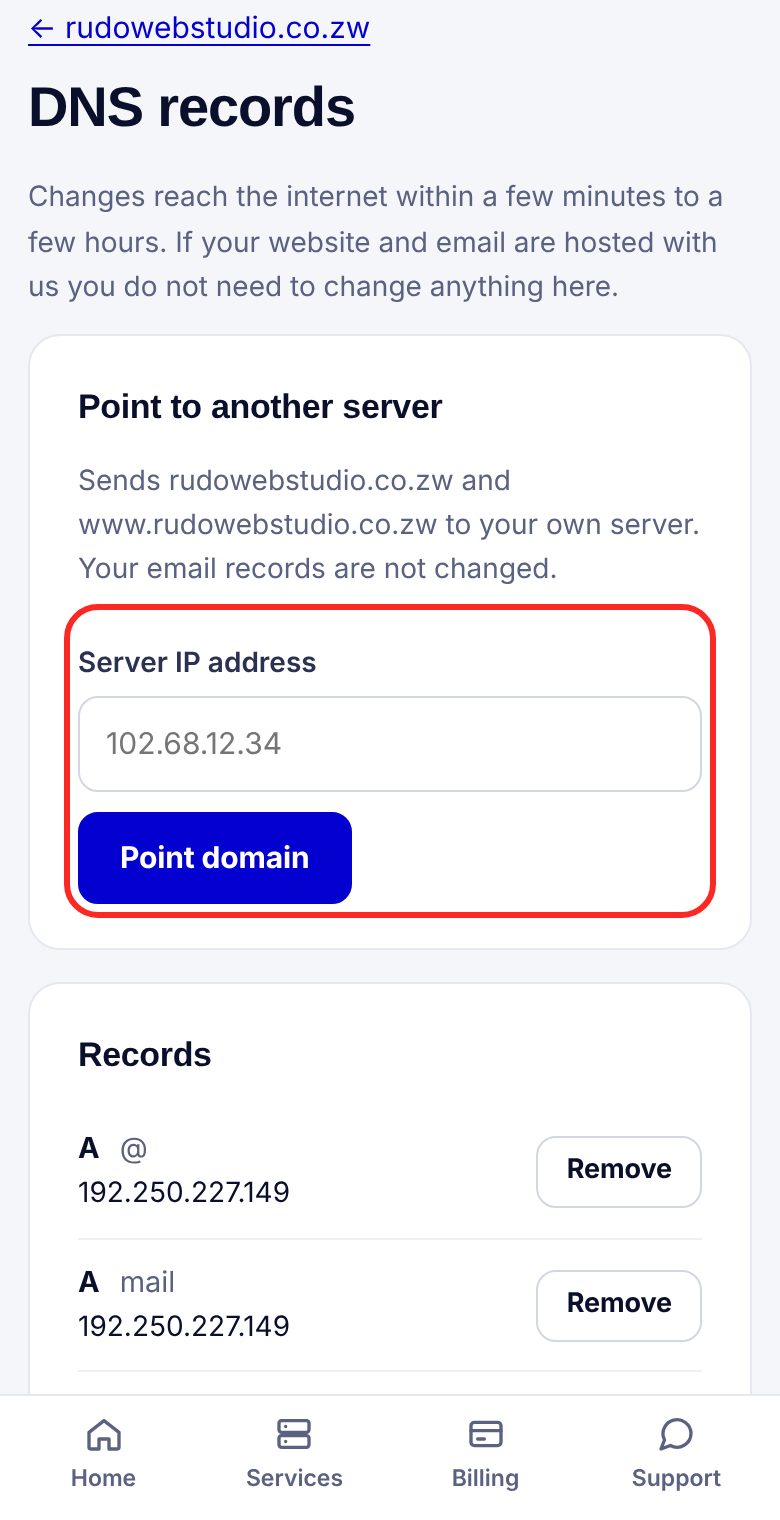
Point your domain to another server - Your records are listed under Records. Tap Remove to delete one, or use Add a record below to add A, AAAA, CNAME, MX or TXT records.
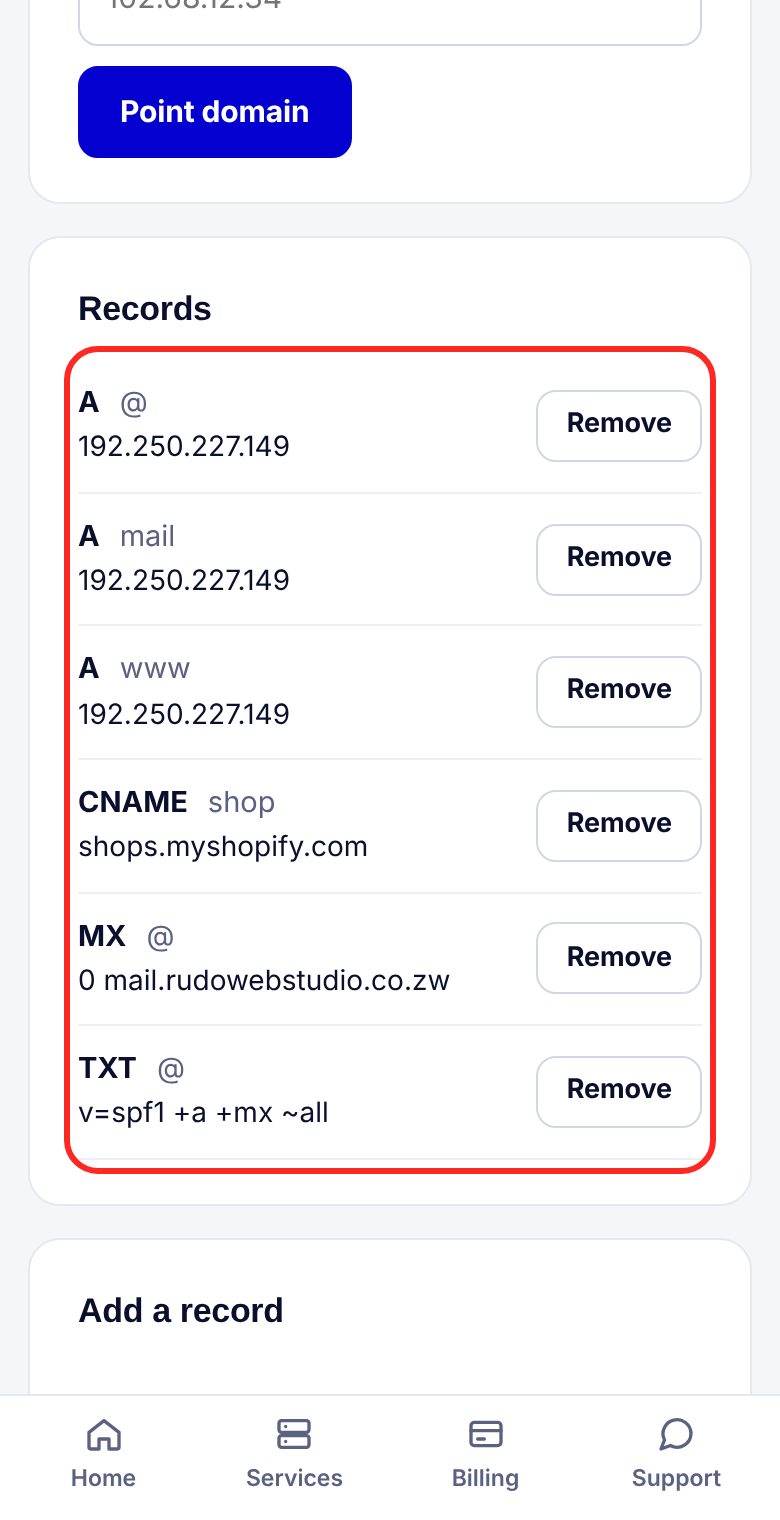
Your DNS records
Changes reach the internet within a few minutes to a few hours. Not sure what to enter? Send us the instructions from the other service and we will add the records for you.
Stuck? WhatsApp us on +263 78 377 1089 or open a support ticket.